 Pavilion Arc
Getting started · Contract operations
ClausePilot
Signed. Understood. Followed through.
ClausePilot keeps every agreement in one register, reads its key dates and clauses, and makes sure obligations and renewals are never missed.
How the work flows
Every task in ClausePilot moves through the same stages.
- 1Read
- 2Register
- 3Sign
- 4Keep promises
- 5Renew or end
Before you begin
Open ClausePilot, press Open workspace, and keep this page open beside it.
- A computer or phoneAny up-to-date browser works.
- The sample contractThe same agreement as TXT, DOCX and PDF.
- About 10 minutesAll companies are made up.
Step by step
Follow the steps in order. Each one sets up the next. Select a screenshot to see it full size.
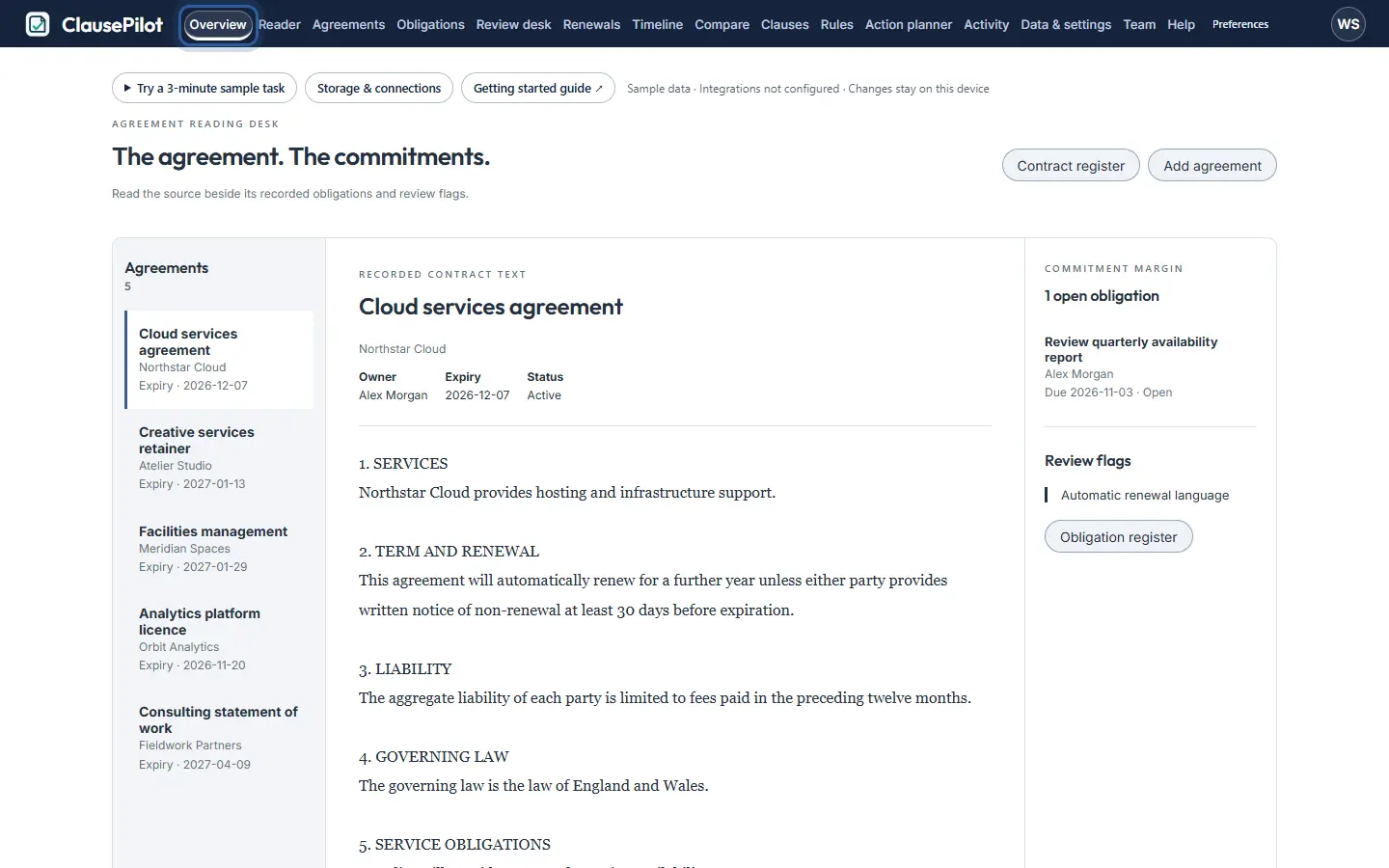
Step 1: See every agreement
Overview lists your agreements with their expiry dates, open obligations and review flags.
The ring shows where to look or what to press. Step 2: Read a contract
Open Reader and press Try a file. Choose the sample agreement. ClausePilot finds the term, the notice period and risky clauses such as automatic renewal or no liability cap, each shown beside the text it came from.
These are rule-based suggestions. Always check them against the highlighted text.
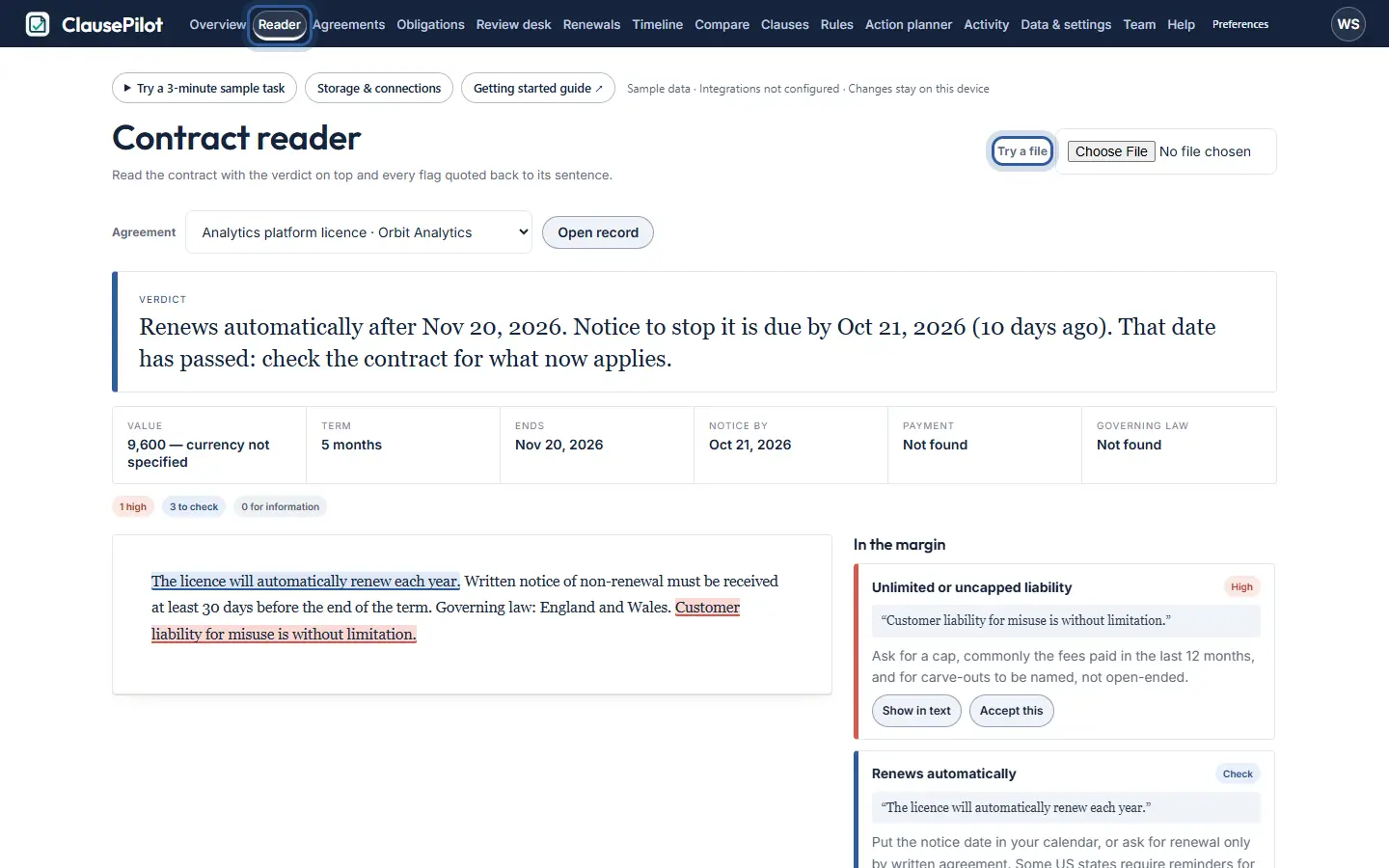
The ring shows where to look or what to press. Step 3: Add it to the register
Press Add to register in the Reader, or Add agreement on Overview. The dates are filled in from the reading. Add the other company’s name and save.
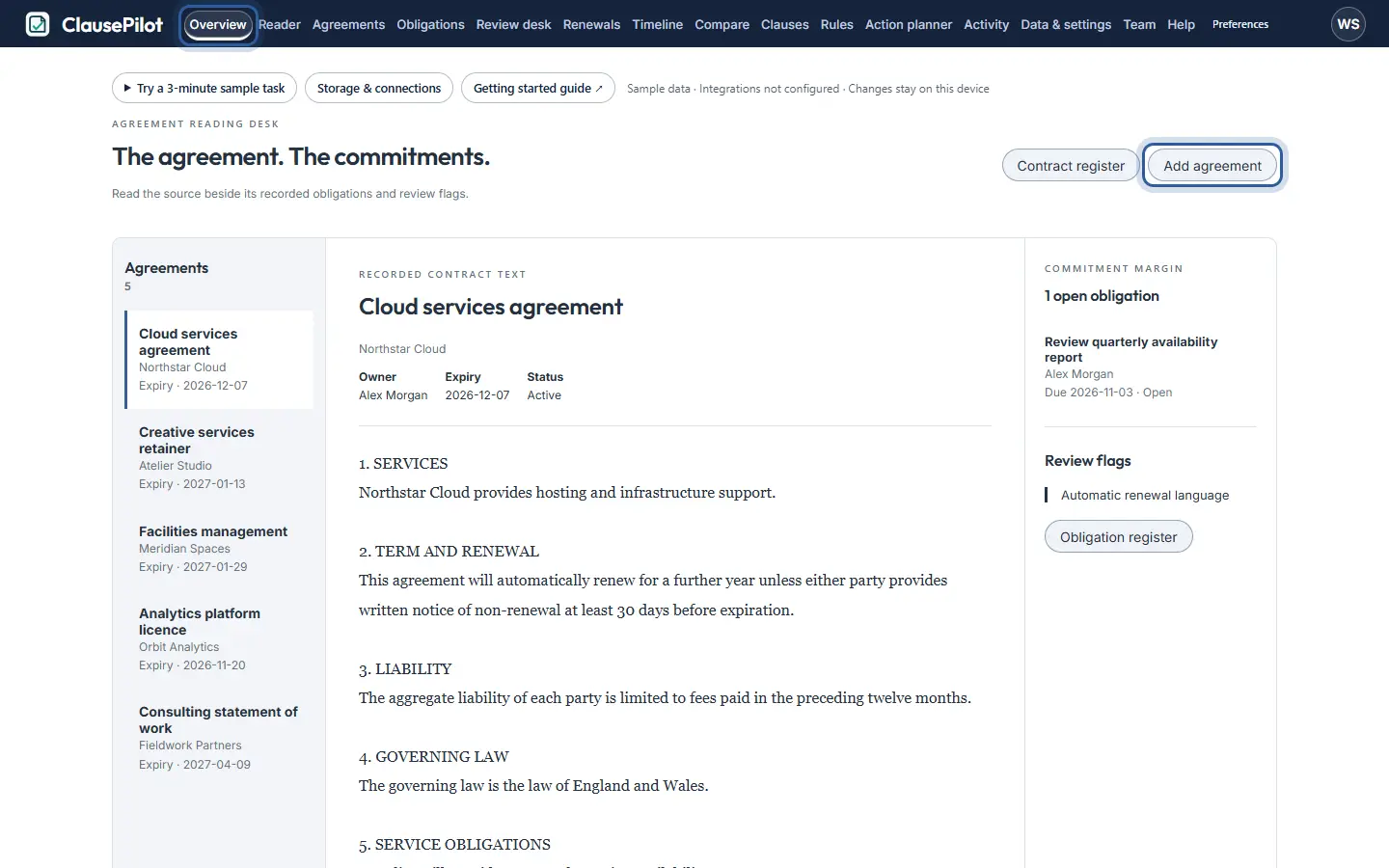
The ring shows where to look or what to press. Step 4: Track the signature
Open an agreement. In Signature, enter who it goes to and how it will be signed, press Mark as sent for signature, then record it as signed when it comes back.
ClausePilot records each step. It does not send or sign anything itself.
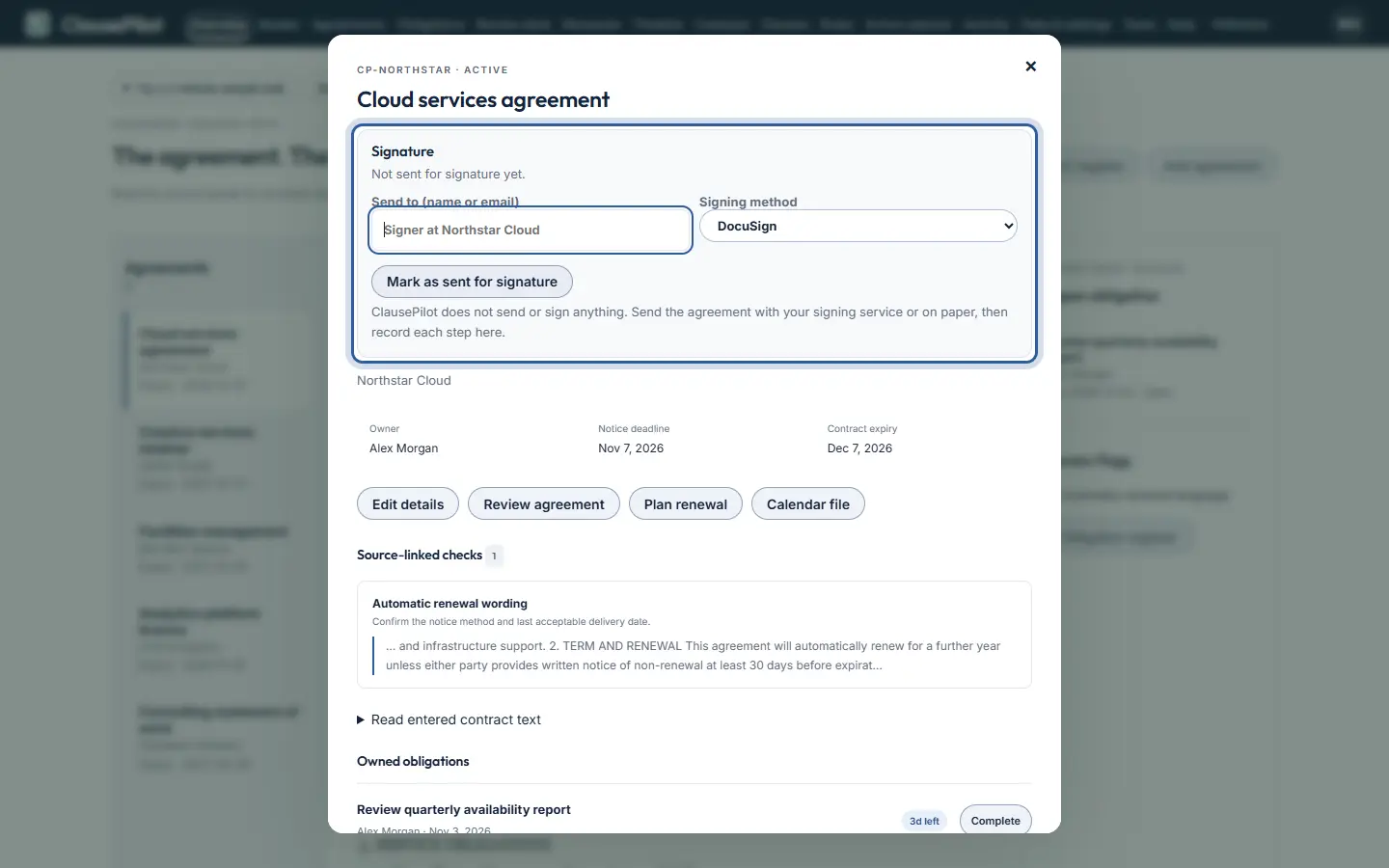
The ring shows where to look or what to press. Step 5: Keep your promises
Obligations lists what each side has committed to, with an owner and a due date. Mark each one complete as you go.
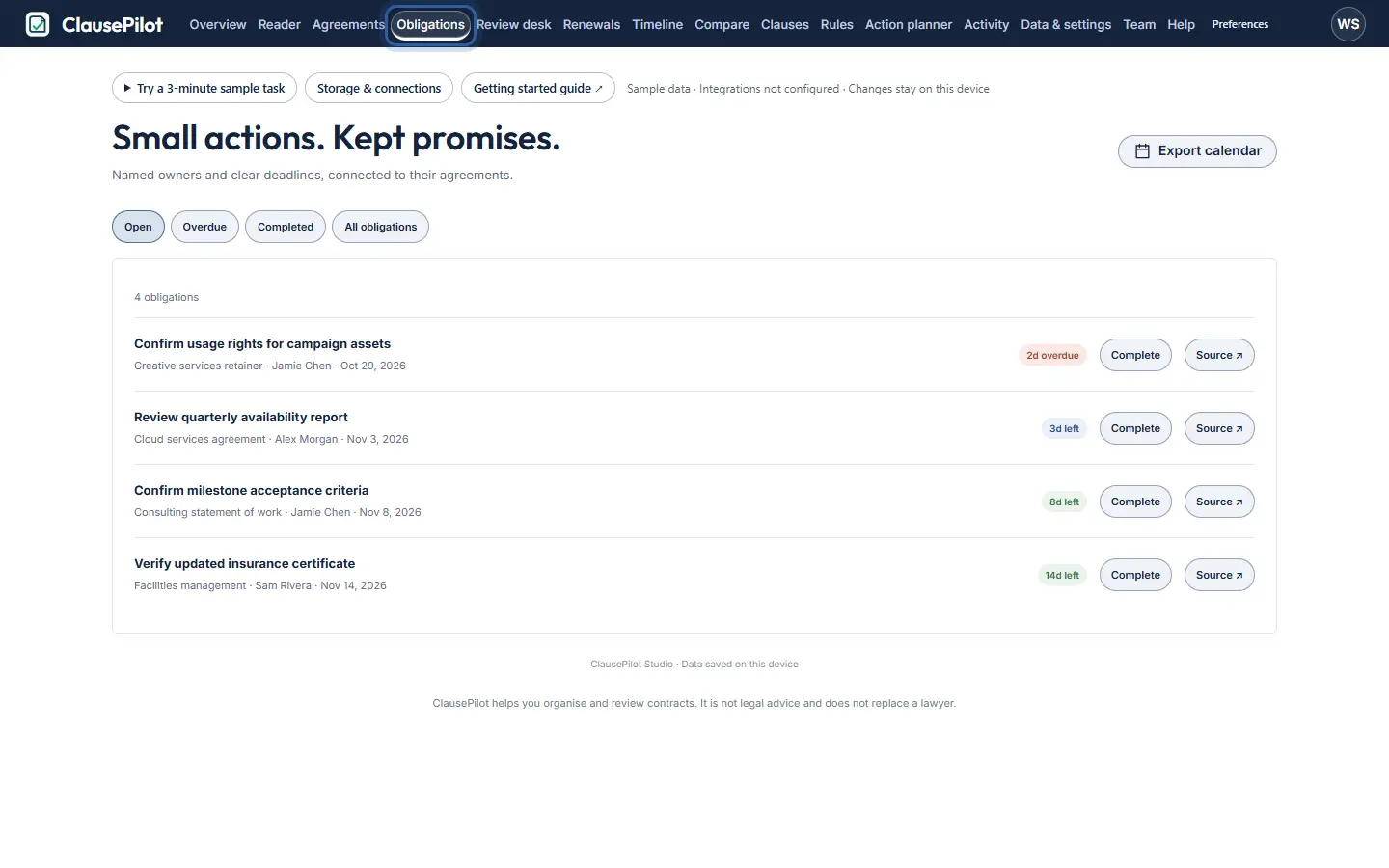
The ring shows where to look or what to press. Step 6: Plan renewals
Renewals shows which agreements end soon and the last day to give notice, so nothing renews by surprise.
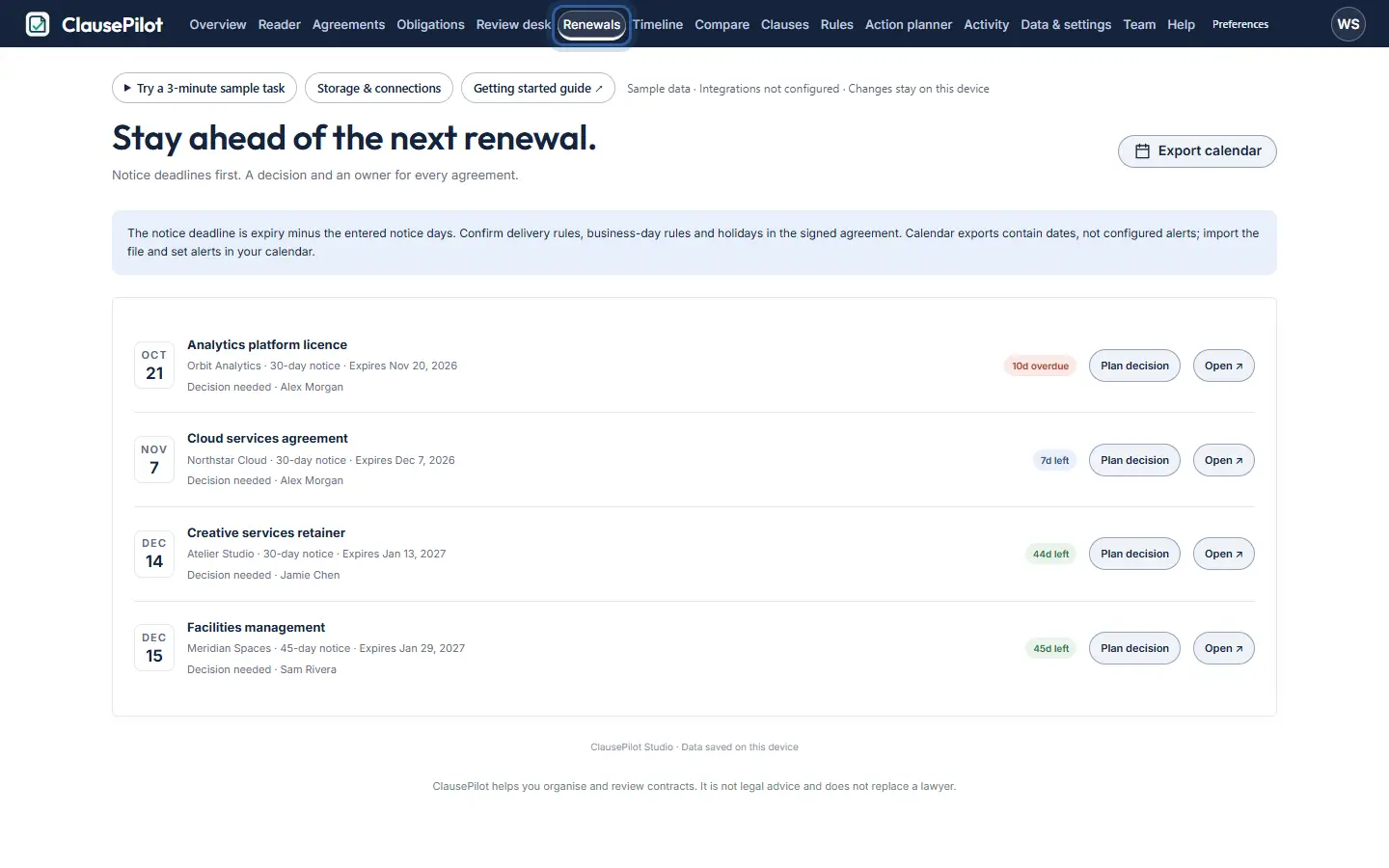
The ring shows where to look or what to press.
What to notice
Every finding sits next to the exact contract text behind it, so you can trust it and explain it.
Other guides
The same steps-and-screenshots format for every Pavilion Arc product.