 Pavilion Arc
Getting started · Sales coordination
Coordex
Every inquiry. Every quote. Handled.
Coordex helps a sales team answer a customer’s request for prices. It pulls in supplier costs, builds the quotation and keeps a person in charge of approving it.
How the work flows
Every task in Coordex moves through the same stages.
- 1Inquiry
- 2Supplier prices
- 3Quotation
- 4Approve
- 5Follow up
Before you begin
Open Coordex, press Open workspace, and keep this page open beside it.
- A computer or phoneAny up-to-date browser works.
- The sample filesA supplier price list and a customer list.
- About 10 minutesAll customers and prices are made up.
Step by step
Follow the steps in order. Each one sets up the next. Select a screenshot to see it full size.
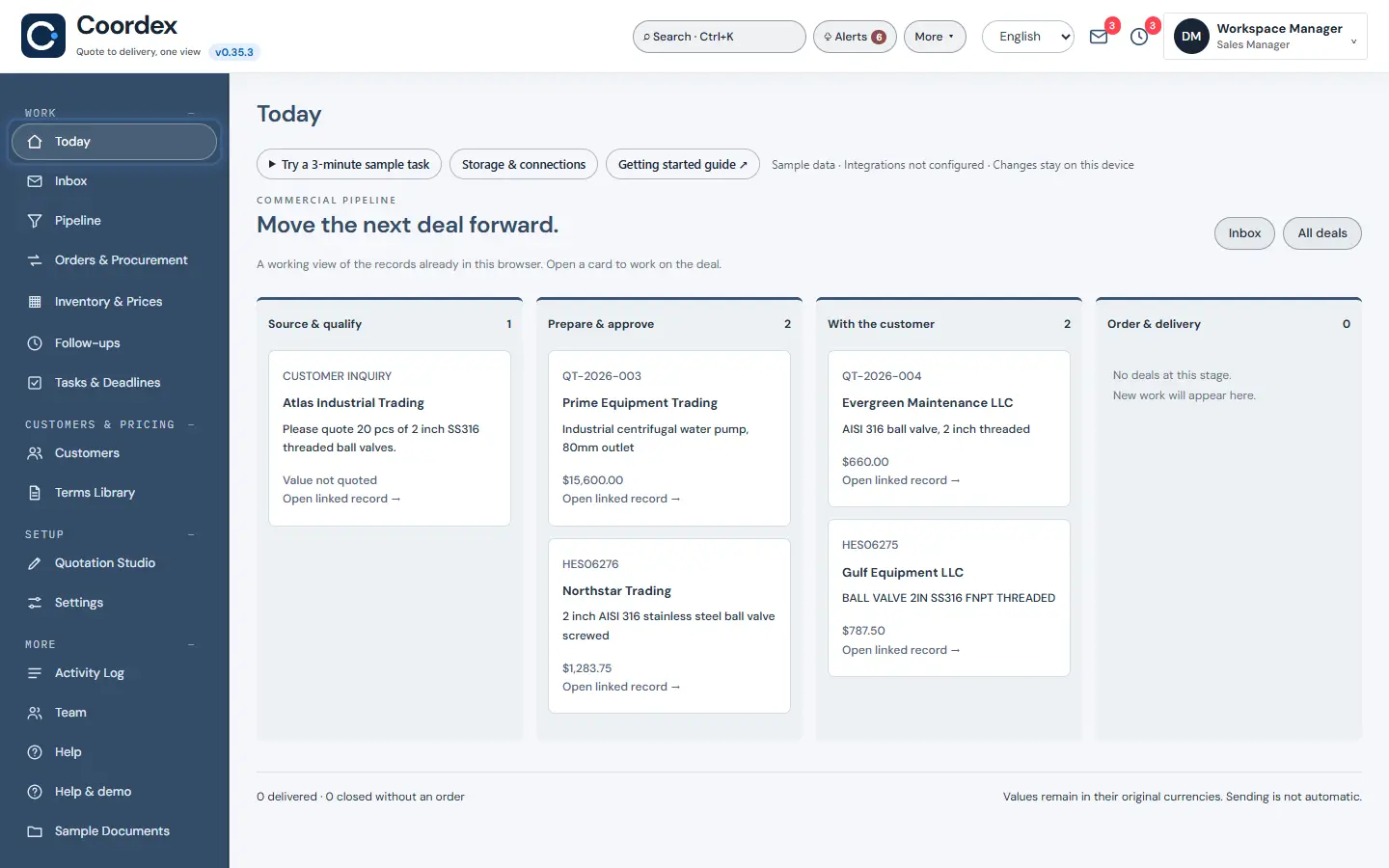
Step 1: Start with Today
Today shows the deals that need a next step, so the team knows where to start each morning.
The ring shows where to look or what to press. Step 2: Load supplier prices
Open Inventory & Prices and use Vendor price import with
01_vendor-price-list.csv. Coordex uses these costs when it builds a quotation.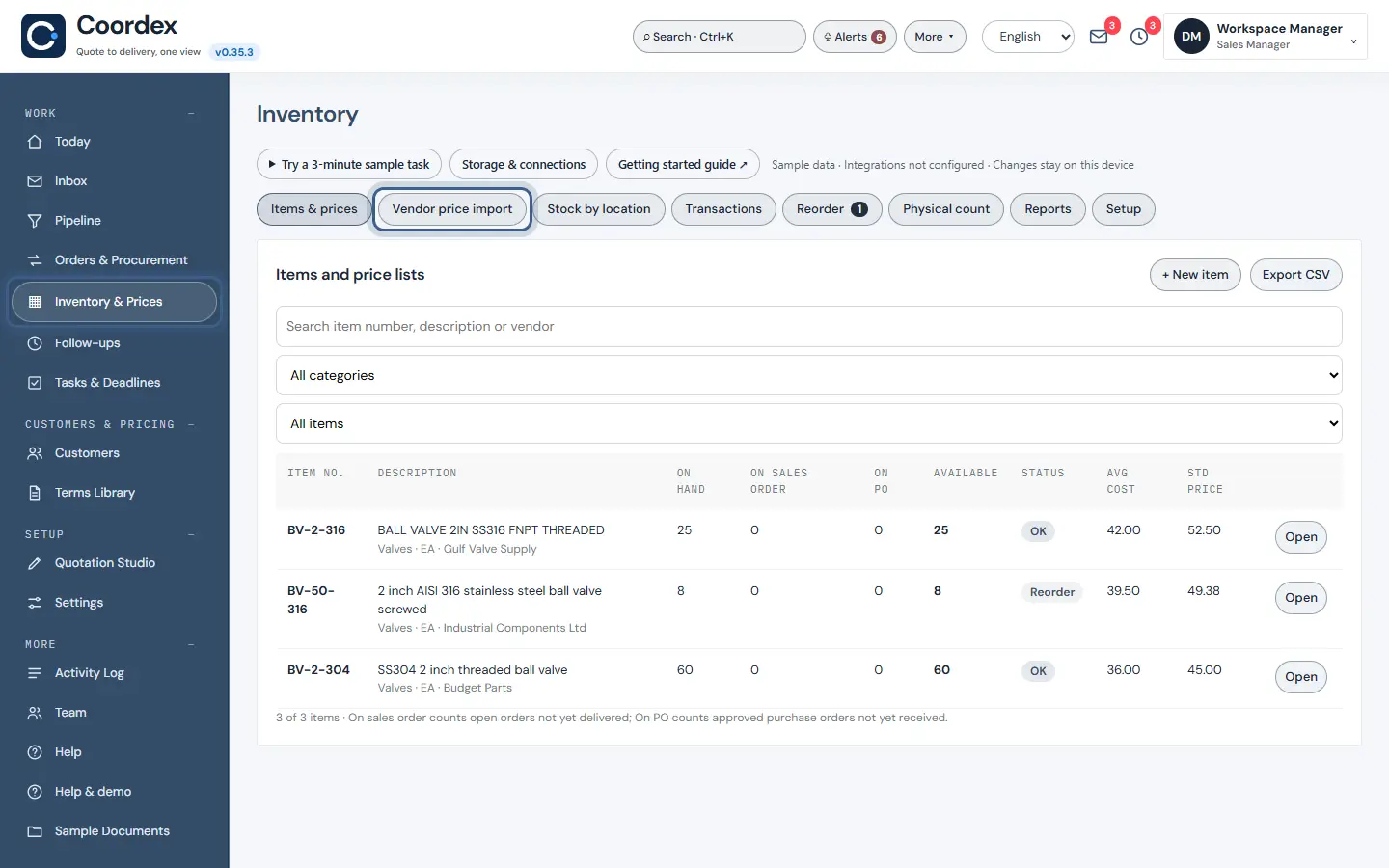
The ring shows where to look or what to press. Step 3: Add your customers
Open Customers and press Import CSV with
02_customers.csv. This step is optional: you can also type a new customer into a quotation.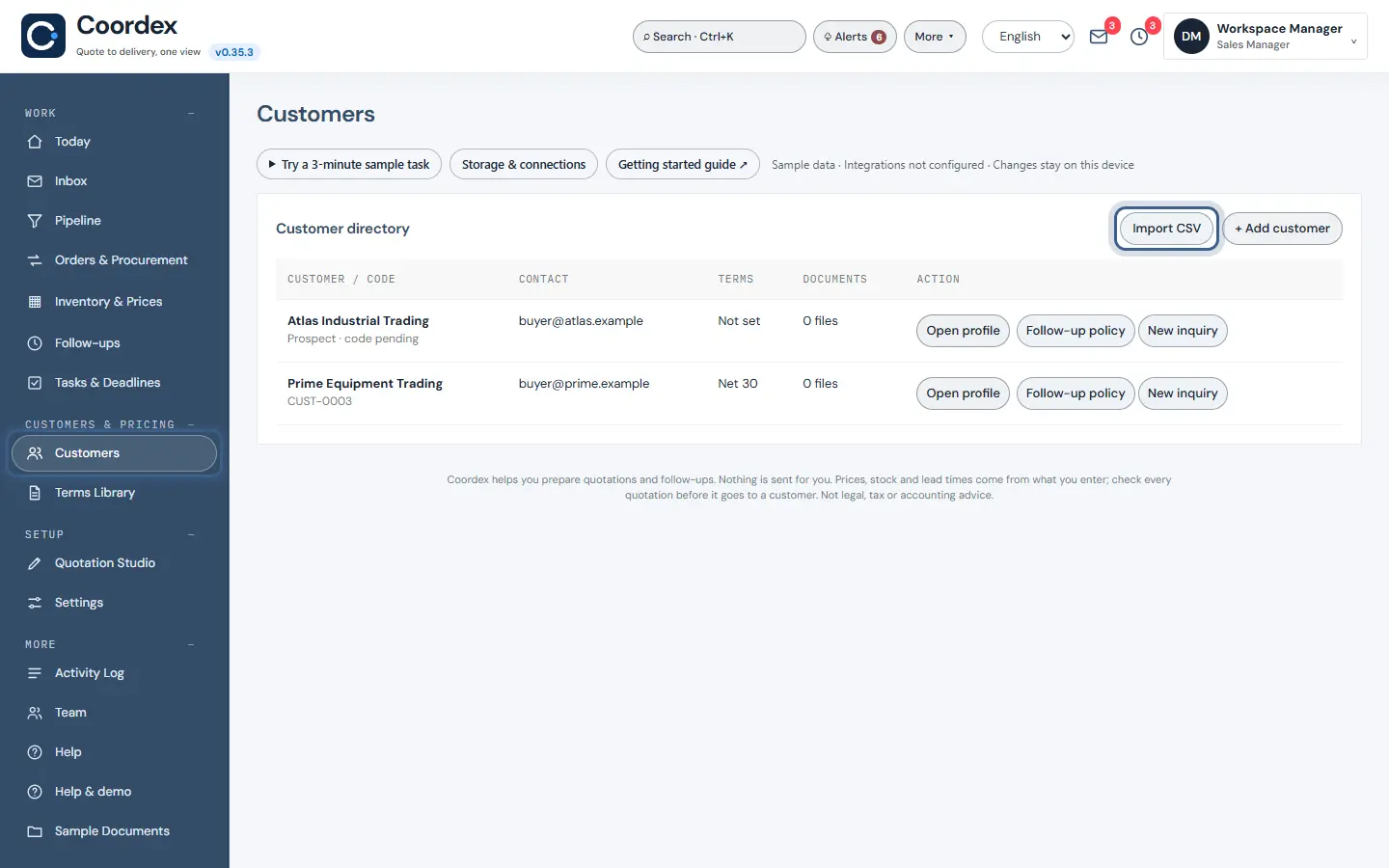
The ring shows where to look or what to press. Step 4: Start a quotation
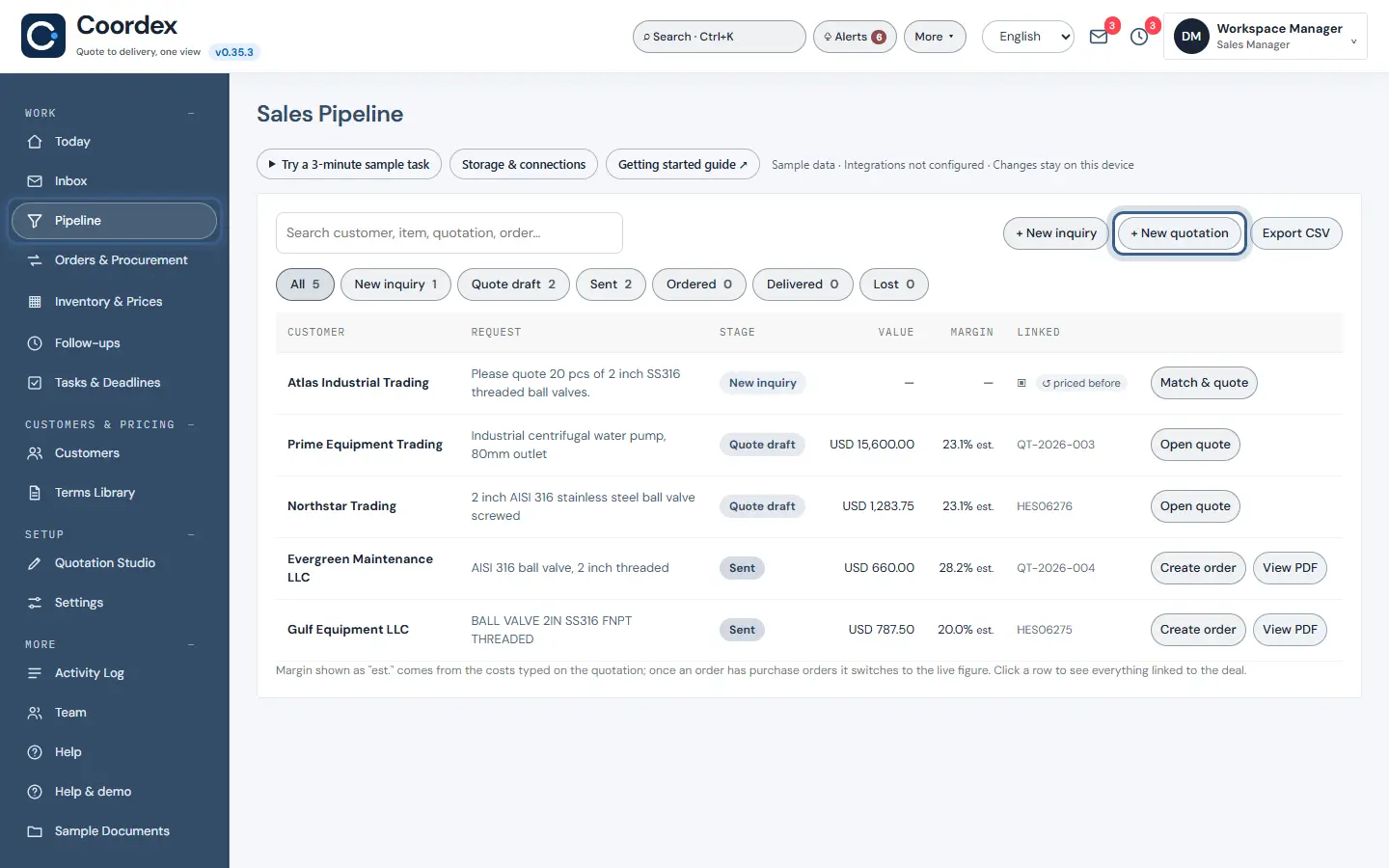
Open Pipeline and press + New quotation.
The ring shows where to look or what to press. Step 5: Let Smart assist fill it in
Paste the customer’s email into Smart assist, for example: “Please quote 20 pcs ball valve 2 inch SS316 threaded and 4 pcs centrifugal water pump 80mm outlet. Payment advance, delivery in 4 weeks.” Press Fill the quotation, check the result, then Save draft.
An item priced in another currency shows a Check currency warning, because Coordex does not convert currencies. Nothing is emailed automatically.
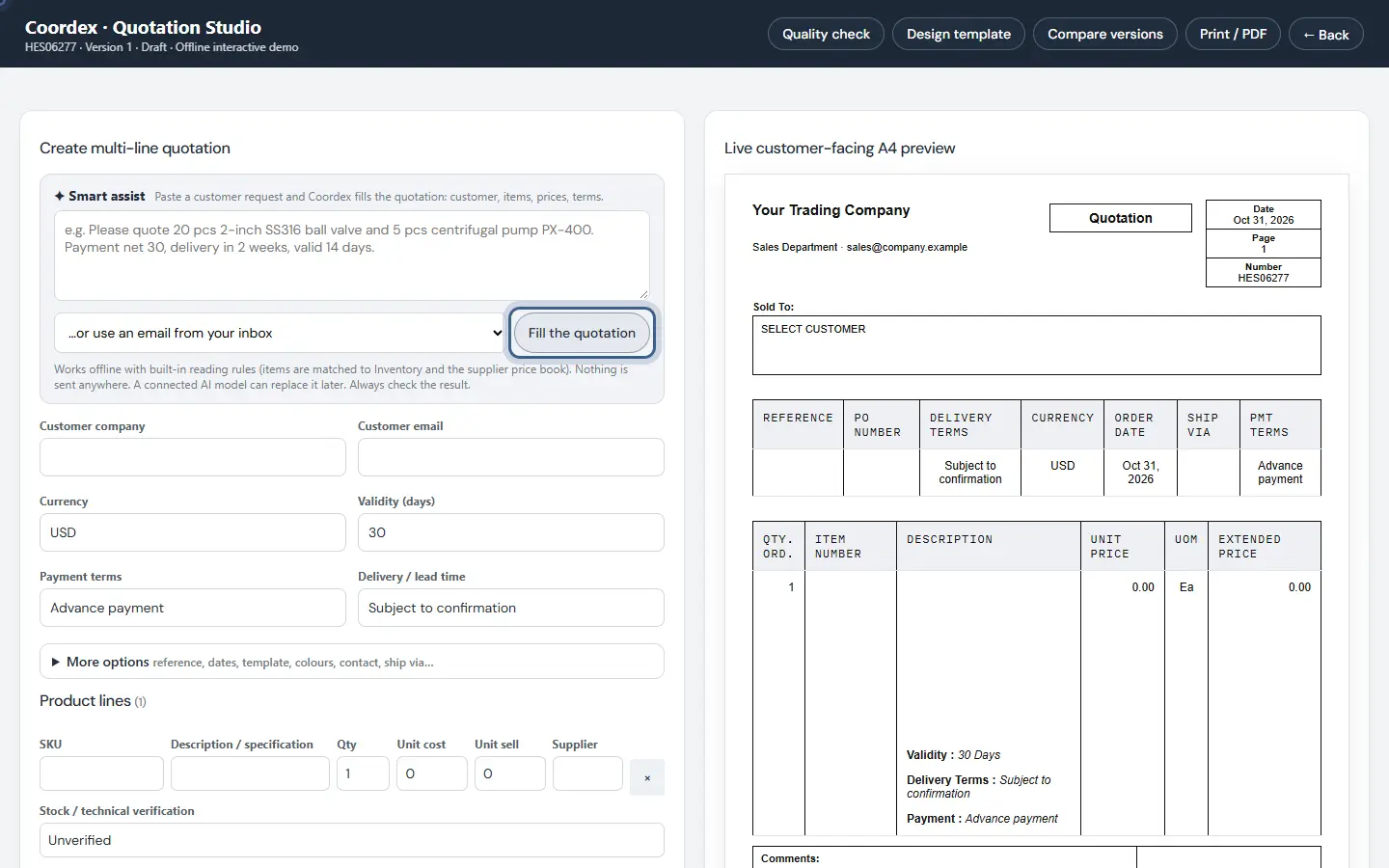
The ring shows where to look or what to press. Step 6: Follow up
Follow-ups lists customers waiting for an answer and quotations that need chasing.
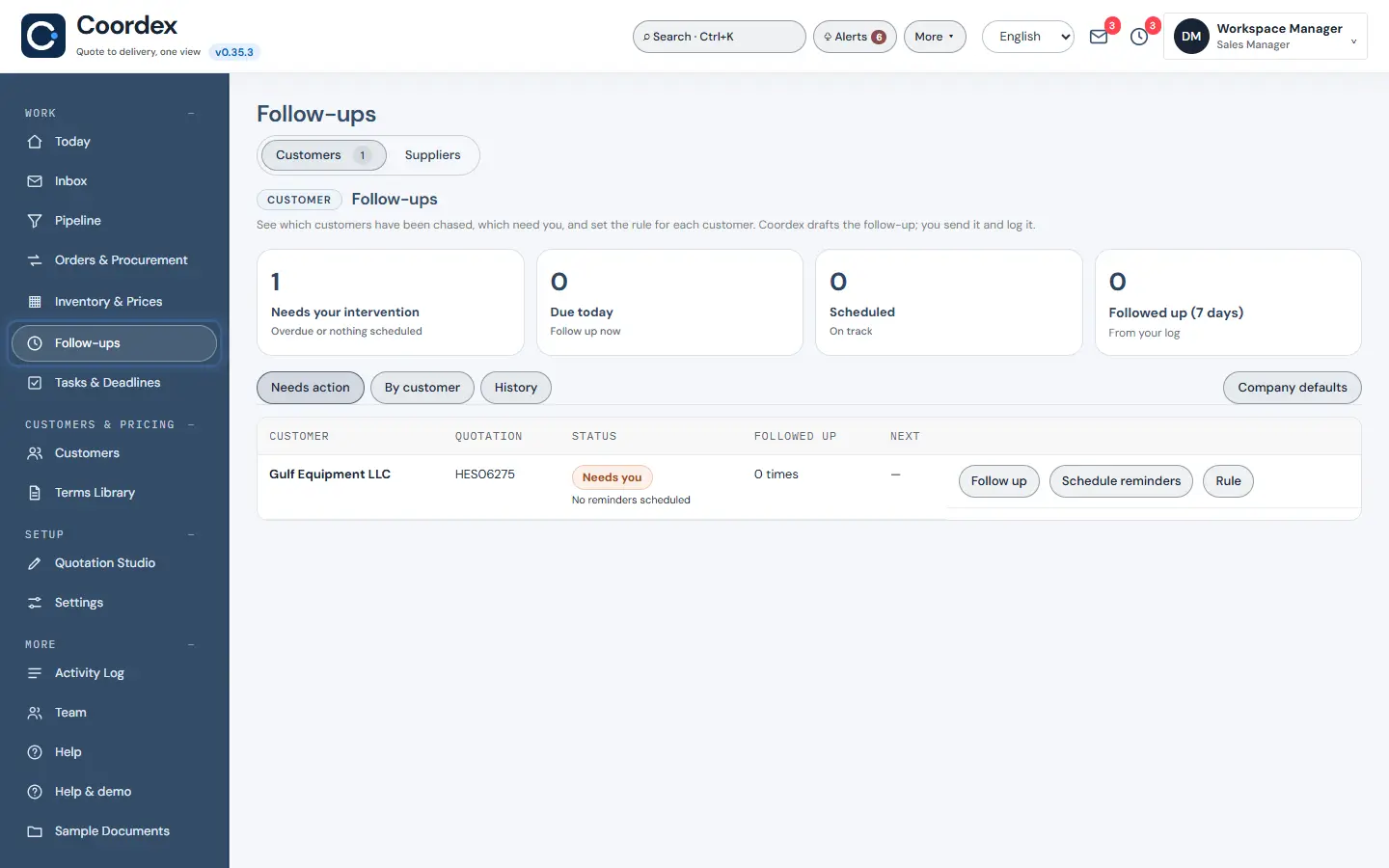
The ring shows where to look or what to press.
What to notice
The customer’s request and your supplier prices sit side by side, and a person always approves before anything goes out.
Other guides
The same steps-and-screenshots format for every Pavilion Arc product.