Enter the order
Add parties, terms and lines once.
 ← All productsAccount
PAVILION ARC / EXPORT DOCUMENTS
Connect accepted orders, supplier originals, customer documents, physical packages and collection in one shipment workspace.
For trading companies, OEMs and logistics teams
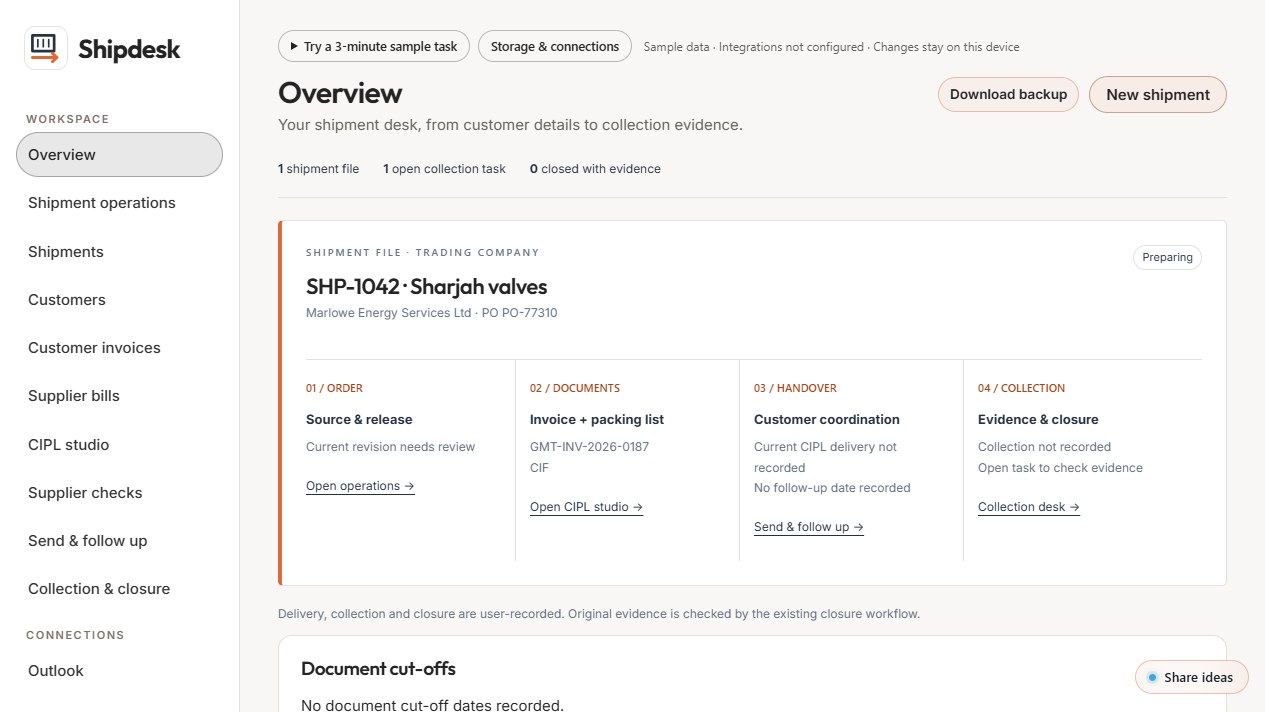
Workspace preview · Fictional sample data
IN THE WORKSPACE
Add parties, terms and lines once.
Produce both documents, or load supplier documents and review supported arithmetic and consistency checks.
Pull supplier attachments from your own mailbox and save a draft reply. Nothing is sent automatically.
BEFORE YOU EXPLORE
Shipdesk does not file customs declarations or give customs, tax or legal advice, and it does not replace your broker. Outlook is optional and connects only through your own Microsoft app registration.
Use fictional sample data. Browser storage can retain demonstration records, and clearing it can remove them. Demo roles do not provide production access control. The shared Pavilion Arc sign-in foundation is separate from these browser-local product records; live product-data sharing is not connected.
Read product information ↗MORE FROM PAVILION ARC
LET’S TALK ABOUT SHIPDESK
Scope, availability and any future engagement are confirmed individually.